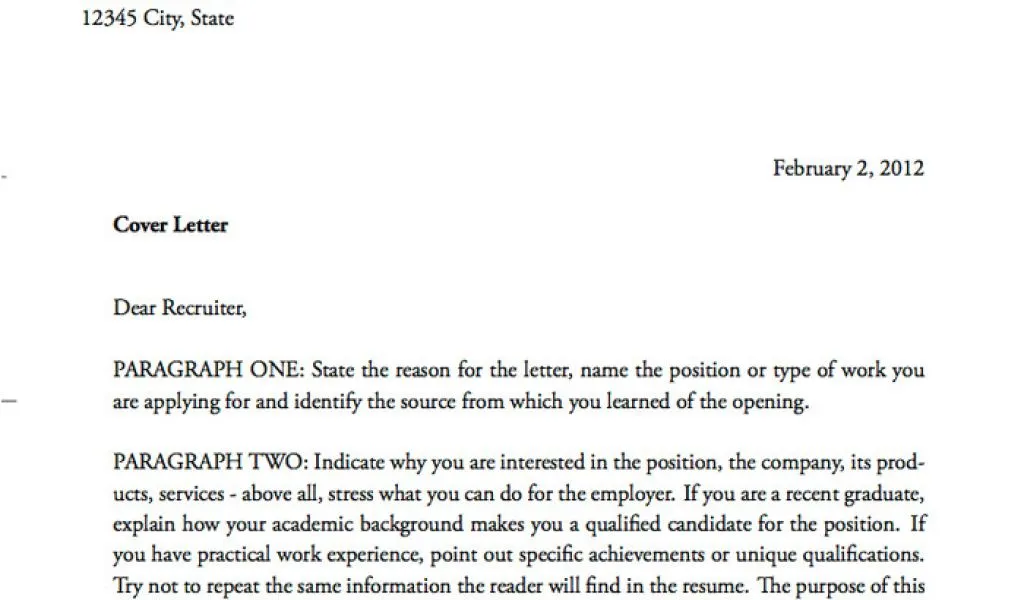
What is a Cover Letter?
A cover letter is a crucial document that accompanies your resume when you apply for a job. Think of it as your personal introduction to a potential employer. It’s your opportunity to highlight your skills, experience, and enthusiasm for the position, beyond what’s already listed in your resume. A well-crafted cover letter can significantly increase your chances of getting an interview by showcasing your personality and explaining why you’re the perfect fit for the role and the company. It provides context to your resume, allowing you to elaborate on specific achievements and demonstrate how your qualifications align with the job requirements. Essentially, it’s your first impression on paper.
Why is a Cover Letter Important?
In today’s competitive job market, a cover letter is not just a formality; it’s a necessity. It provides context to your application and allows you to connect with the hiring manager on a more personal level. A strong cover letter demonstrates your communication skills, writing ability, and genuine interest in the position. It allows you to showcase your personality and differentiate yourself from other candidates. Many employers use cover letters to assess a candidate’s writing style and attention to detail, as well as their ability to articulate their qualifications. In many cases, it is the cover letter that determines if the resume even gets a look. So, if you want to get noticed, make sure to include a compelling cover letter.
Cover Letter Basics

Before you start typing, understanding the basic components of a cover letter is essential. A well-structured cover letter typically includes a header, a salutation, an introductory paragraph, a body where you highlight your skills and experience, a closing paragraph, a complimentary close, and your typed signature. Each section plays a specific role in conveying your qualifications and enthusiasm. Paying attention to the structure ensures your letter is clear, concise, and easy to read. Remember, the goal is to make a positive impression and encourage the employer to learn more about you. This section will take you through each of these components step by step so that you can create a cover letter that works for you.
Header
Your cover letter should begin with a header that includes your contact information. This is the first thing the hiring manager sees, and it ensures they can easily reach you. It typically includes your full name, address, phone number, and email address. Ensure your contact information is up-to-date and professional. Using a professional email address is a must. Consider using a simple, clear font for your header and maintaining consistency with the font used in your resume. The header should be placed at the top of the document, usually left-aligned, to make it easy to find.
Your Contact Information
As mentioned above, include your full name, complete mailing address, phone number, and a professional email address. Avoid using nicknames or informal email addresses. Double-check that your phone number is correct and includes the area code. Consider using a simple, professional-looking font for this information to maintain a consistent and clean appearance. Make sure the contact information is easily readable and stands out slightly from the rest of the text, but keep it simple and avoid excessive formatting. Ensure all the information is accurate to facilitate easy communication from the potential employer.
Date

The date should be placed directly below your contact information. This indicates when you wrote the letter. Use the current date, which is the date you are sending the cover letter. The date format should be consistent with professional standards, such as Month Day, Year (e.g., October 26, 2024). This formatting is generally accepted and helps maintain a clean look. Ensure there is a small space between the header, the date, and the employer’s contact information. The date helps the employer know when the application was submitted.
Employer Contact Information
Below the date, include the employer’s contact information. Start with the hiring manager’s name and title, if known. If you can’t find the name, use the title of the hiring manager, like ‘Hiring Manager.’ Include the company’s name and address. Addressing the letter to a specific person shows you’ve done your research and are taking the application seriously. Research the company’s website or LinkedIn to find the hiring manager’s name. This personalization can significantly impact your application. Use a professional font and maintain the consistent format with the rest of the letter.
Salutation
The salutation is your greeting, setting the tone for the letter. Start with ‘Dear’ followed by the hiring manager’s name (e.g., ‘Dear Ms. Smith’). If you don’t know the name, use a professional greeting like ‘Dear Hiring Manager’ or ‘Dear [Company Name] Team’. Avoid generic greetings like ‘To Whom It May Concern.’ Always make sure you are spelling the name of the person you are addressing correctly. A personalized salutation immediately makes a positive impression. Following the salutation, place a comma or a colon, depending on your preference.
Body Paragraphs

The body paragraphs are the core of your cover letter, where you sell yourself to the employer. It’s crucial to present your qualifications effectively and demonstrate your enthusiasm for the role and the company. The body typically consists of three or four paragraphs. The first paragraph introduces you, the second highlights your relevant skills and experience, the third expresses your enthusiasm and explains why you are a good fit, and the fourth provides a call to action. Each paragraph should have a clear focus and contribute to the overall message. Keep the language concise and focused on what the employer is looking for.
First Paragraph Introduction
In the introductory paragraph, state the position you’re applying for and how you found the job opening. Briefly mention your most relevant qualifications or skills that make you a strong candidate. This is your chance to grab the reader’s attention and make them want to read further. Show your excitement for the opportunity. For example, you can say something like: ‘I am writing to express my keen interest in the Marketing Manager position at [Company Name], as advertised on [Platform].’ Keep it brief and engaging, setting the stage for the rest of your letter. Make sure your opening paragraph is attention-grabbing and sets the right tone for your application.
Second Paragraph Highlight Relevant Skills and Experience
The second paragraph should highlight your most relevant skills and experience. Review the job description and identify the key requirements. Provide specific examples of how your experience aligns with these requirements. Quantify your achievements whenever possible; use numbers and data to demonstrate your impact. For example, instead of saying ‘Managed social media campaigns,’ say ‘Managed social media campaigns that increased follower engagement by 30%.’ This section demonstrates you have the skills to perform the job and how you have used them effectively. Connect your past achievements to the requirements listed in the job description.
Third Paragraph Express Enthusiasm and Fit

In the third paragraph, express your enthusiasm for the company and the role. Explain why you’re interested in the company and how your values align with theirs. Show that you’ve done your research and understand the company’s mission, values, and culture. Highlight what specifically attracts you to the position and the company. Mention why you believe you are a good fit, and what you can bring to the team. For example, ‘I am particularly drawn to [Company Name]’s commitment to [Company Value], which aligns perfectly with my own professional values.’ This paragraph will help you connect with the reader and demonstrate your interest in the company.
Fourth Paragraph Call to Action
The fourth paragraph serves as your call to action. Reiterate your interest in the position and express your willingness to discuss your qualifications further. Thank the hiring manager for their time and consideration. State that you have attached your resume for their review. Include your contact information again, if needed. End with a strong statement like, ‘I am eager to learn more about this opportunity and discuss how my skills and experience can benefit your team. Thank you for your time and consideration. I look forward to hearing from you soon.’ The goal is to prompt the employer to take the next step, such as scheduling an interview.
Closing
The closing of your cover letter is the final impression you leave on the hiring manager. It should be professional and leave a positive lasting impression. It includes a complimentary close, your typed signature, and, optionally, your contact information. Ensure that this section is concise, polite, and reflects the tone of the rest of your letter. Proofread the closing carefully for any errors and make sure it aligns with the overall message of your application. This demonstrates professionalism and attention to detail, which are important for any job candidate.
Complimentary Close

Choose a professional and appropriate complimentary close to end your cover letter. Common options include ‘Sincerely,’ ‘Best regards,’ ‘Yours sincerely,’ or ‘Thank you.’ Keep the tone consistent with the rest of your letter. Avoid casual closings such as ‘Cheers’ or ‘Best.’ The complimentary close should be followed by a comma, and then you should leave some space before you type your name. The choice should reflect your personality and the level of formality of the application. Make sure to select the closing that best suits your personality and the context of the job application.
Typed Signature
After the complimentary close, leave a few lines for your handwritten signature if you’re printing the document. If you’re sending it digitally, simply type your full name beneath the closing. Ensure your name is clearly legible and in a professional font. This final touch adds a personal element to your application. It signifies your commitment to the application process and helps personalize your communication with the hiring manager. This ensures that your application looks polished and professional.
Proofreading and Editing
Proofreading and editing are crucial steps to ensure your cover letter is polished and professional. Review your letter for any grammatical errors, spelling mistakes, and typos. Use a grammar checker and ask a friend or family member to read through it as a second pair of eyes. Check for clarity, conciseness, and coherence. Ensure your sentences flow well and your ideas are presented logically. Proofreading helps avoid mistakes that could negatively impact your application. Always check for formatting inconsistencies, ensuring consistent font styles, sizes, and spacing. A well-proofread letter demonstrates your attention to detail.
Common Mistakes to Avoid

Several common mistakes can undermine your cover letter. Avoid generic cover letters that don’t address the specific job requirements or the company. Don’t include information already in your resume; the cover letter should add context. Typos and grammatical errors can make you look unprofessional. Don’t be too long; aim for one page. Avoid being overly casual or using slang. Never use a negative tone or criticize past employers. Instead, focus on your skills and achievements. Always proofread your cover letter carefully before submitting it to avoid any of these common mistakes.
Formatting Tips for Cover Letters
Formatting your cover letter correctly enhances readability and makes a positive impression. Use a professional font, such as Times New Roman, Arial, or Calibri. Use 1-inch margins on all sides of your document. Use single-spaced text with a space between each paragraph. Align your text to the left, avoiding justification. Keep your letter to one page, and use a clear, easy-to-read layout. Avoid using excessive formatting or colors. Ensure the formatting is consistent throughout the document. Consistent formatting helps to create a professional and polished document.
Choosing the Right Font and Size
Choosing the right font and size can greatly impact the readability and professionalism of your cover letter. Stick to standard fonts like Times New Roman, Arial, or Calibri. These fonts are widely accepted and easy to read. Use a font size between 10 and 12 points. This ensures your text is large enough to be easily read. Avoid using fancy or overly stylized fonts. The goal is to be professional, not distracting. Maintain consistency throughout the document. Use a font and size that are suitable for professional correspondence. Ensure the text is easy to read, which will make a better impression on the hiring manager.
File Format and Submission
When submitting your cover letter, use a standard file format like PDF to ensure your formatting remains consistent across all devices. This prevents any formatting issues that might arise if the employer opens the document using a different software. Always follow the application instructions regarding how to submit your cover letter. Some employers may require you to submit your cover letter as part of an online application. Always check the job posting for any specific instructions. Name your file clearly, using your name and the job title (e.g., ‘JaneDoe_MarketingManager_CoverLetter.pdf’).