What is a Cover Letter and Why Do You Need It?
A cover letter is a crucial document that accompanies your resume when applying for a job. It serves as your introduction to the hiring manager, providing an opportunity to showcase your personality, skills, and enthusiasm for the position. Unlike a resume, which is a factual summary of your experience, a cover letter allows you to tell a story and explain why you are the perfect fit for the role. A well-crafted cover letter can significantly increase your chances of getting an interview, as it demonstrates your genuine interest and highlights how your qualifications align with the company’s needs. It’s your chance to make a strong first impression and set yourself apart from other applicants. Neglecting a cover letter, or submitting a generic one, is a missed opportunity to shine and potentially land your dream job. This is your primary opportunity to introduce yourself and demonstrate your value beyond the information presented in your resume.
Key Components of a Cover Letter
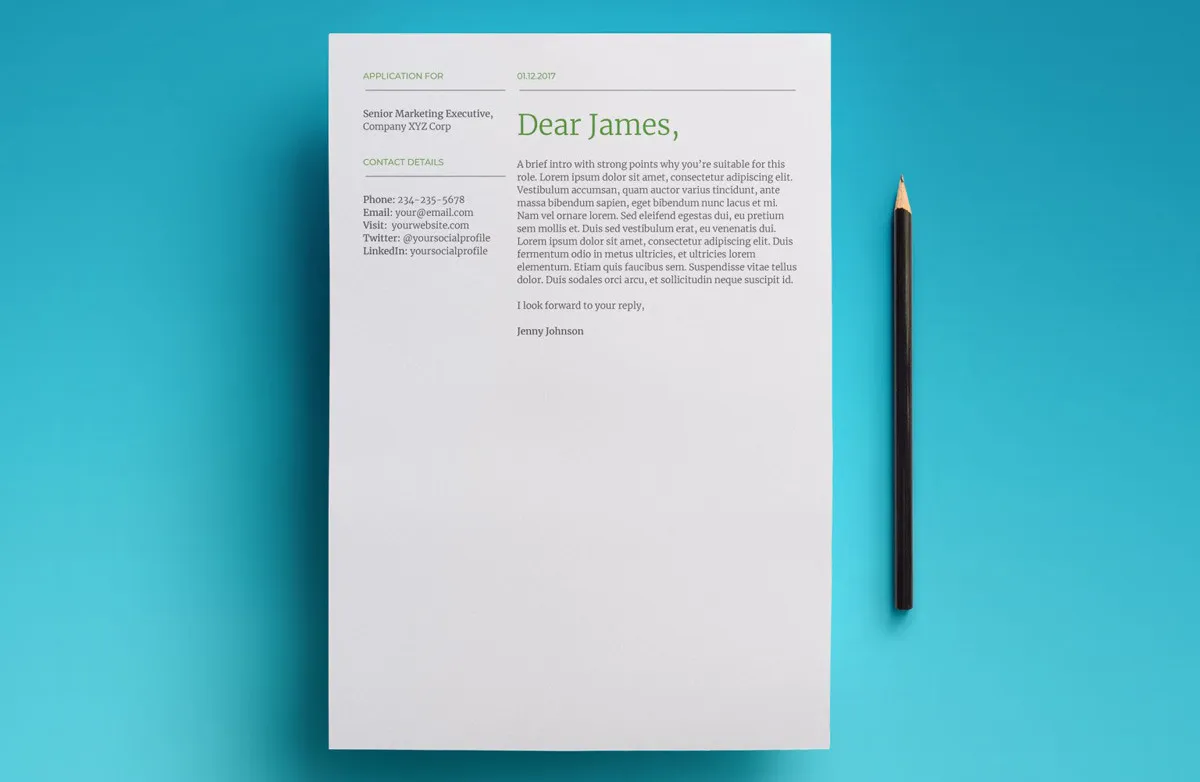
A compelling cover letter typically includes several key components. Firstly, a header containing your contact information is essential. Next is the date, followed by the recipient’s details, including their name, title, and the company’s address. A professional salutation, such as “Dear Mr./Ms. [Last Name],” sets a formal tone. The body of the letter should begin with an engaging opening paragraph that grabs the reader’s attention and states the purpose of your letter. Subsequent paragraphs should highlight your relevant skills and experiences, providing specific examples to demonstrate your capabilities. Quantify your achievements whenever possible, using numbers and data to showcase your impact in previous roles. The letter should then be tailored to the specific job description, referencing the company’s needs and explaining how your skills align. Conclude with a strong closing paragraph that reiterates your interest and includes a call to action, such as requesting an interview. Finally, end with a professional closing and your signature.
Header Section Guidelines

The header section of your cover letter is critical for providing essential contact information and ensuring the hiring manager can easily reach you. Start with your full name, making it clear and prominent. Following this, include your professional contact information, such as your phone number and email address. Use a professional-sounding email address; avoid informal or outdated ones. Consider including a link to your professional online profiles, such as LinkedIn, if relevant. This section should be clean, well-formatted, and easy to read. Ensure all information is accurate to prevent any miscommunication. The header also serves to create a professional look. Avoid using fancy fonts or unnecessary graphics. Keeping it simple allows the focus to remain on your message.
Formatting the Date and Recipient Information
After your header, correctly format the date on your cover letter. Use the standard date format, such as Month, Day, Year (e.g., July 20, 2024). Beneath the date, include the recipient’s information. Begin with the hiring manager’s name, if known. If you can’t find a specific name, research the company to see who the hiring manager might be, or use a more general title like “Hiring Manager.” Include their job title, the company name, and the company’s address. Ensure all details are accurate to show you’ve done your research and pay attention to detail. Proper formatting of this section sets a professional tone and makes your letter look polished. Double-check all the details before submitting your application.
Salutation Best Practices
The salutation is the greeting of your cover letter. Use a professional salutation to address the hiring manager. If you know the hiring manager’s name, use “Dear Mr./Ms./Mx. [Last Name]:” Personalizing the salutation shows that you’ve researched the company and are attentive to detail. If you are unsure of the hiring manager’s name, use a general greeting like “Dear Hiring Manager:” or “Dear [Company Name] Hiring Team:” Avoid overly casual greetings like “Hi” or “Hello.” Make sure the salutation matches the tone of the company and the job. It’s also a good practice to double-check the spelling of the hiring manager’s name to ensure accuracy.
Crafting a Compelling Opening Paragraph

Your opening paragraph is your first opportunity to capture the hiring manager’s attention. Start with a strong hook that grabs their interest. This could be a statement of your enthusiasm for the role, a brief overview of your relevant experience, or a mention of a specific achievement. State the position you’re applying for. Clearly and concisely state the role you are seeking and how you found the job. Briefly mention why you are excited about the opportunity and the company. Indicate your genuine interest in the company and the position, and make it clear why you are a good fit. The opening paragraph sets the tone for your entire letter, so make it engaging and informative.
Highlighting Your Skills and Experience
In the body paragraphs of your cover letter, highlight your relevant skills and experience. Focus on the qualifications most relevant to the job description. Provide specific examples of how you have used your skills to achieve results. Use action verbs to describe your accomplishments. Instead of listing your responsibilities, focus on what you achieved in each role. Tailor your examples to demonstrate how your skills align with the company’s needs. Use keywords from the job description to show you have the required skills. Make sure that your descriptions show your abilities and the value you bring to the company. Provide real-world examples and results that will impress the hiring manager, and let them see your potential.
Quantifying Your Achievements
Quantifying your achievements is a powerful way to demonstrate your impact and value to the hiring manager. Use numbers and data to showcase your accomplishments. Instead of saying you “increased sales,” state the percentage increase or the specific revenue generated. If you improved efficiency, provide the percentage improvement or the time saved. Whenever possible, use metrics to illustrate your impact. For example, “Increased customer satisfaction by 20%,” or “Reduced operational costs by 15%.” Quantifiable results provide concrete evidence of your abilities and make your achievements more compelling. This helps hiring managers quickly understand your contributions and potential value to their team. Back up your claims with hard numbers.
Tailoring Your Cover Letter to the Job Description

Tailoring your cover letter to each job description is essential. Carefully review the job posting and identify the key requirements and desired skills. Customize your letter to address the specific needs of the company. Highlight the skills and experiences most relevant to the position. Use keywords from the job description throughout your letter. Demonstrate how your qualifications align with the company’s needs and the role’s responsibilities. Explain why you are a good fit for the company and the role. Show that you have researched the company and understand its mission and values. Make it clear that you understand the specific needs of the role and explain how your skills can meet those needs. By tailoring your letter, you prove you are genuinely interested and have the qualifications they are looking for.
Showcasing Your Personality and Enthusiasm
While maintaining a professional tone, showcase your personality and enthusiasm. Let your passion for the job and the company shine through. Use a conversational yet professional tone that reflects your authentic self. Share your genuine excitement about the opportunity. Show how your values align with the company’s values. Explain why you are interested in the company’s mission and culture. Demonstrate your enthusiasm for the role, and let it be evident in your writing. Your cover letter is an excellent chance to demonstrate your communication skills and make a positive impression. Be sure to convey your personality and enthusiasm for the role, making you memorable to the hiring manager. Showing personality demonstrates your passion.
Writing a Strong Closing Paragraph and Call to Action
The closing paragraph should reiterate your interest in the position. Reiterate your enthusiasm for the role and the company. Briefly summarize your qualifications and why you are a good fit. Include a clear call to action, such as requesting an interview. State that you are eager to discuss your qualifications further. Thank the hiring manager for their time and consideration. Offer a way to contact you. Make sure the tone is confident and professional. Avoid generic phrases and make the closing paragraph memorable and impactful. A strong closing paragraph will increase your chances of getting to the next stage of the hiring process.
Proofreading and Editing Your Cover Letter

Proofreading and editing your cover letter is crucial before submitting your application. Check for any grammatical errors, spelling mistakes, and punctuation errors. Ensure your writing is clear, concise, and easy to understand. Read your letter aloud to catch any awkward phrasing. Have a friend or family member review your letter for feedback. Use a grammar and spell checker to help with accuracy. Make sure the formatting is consistent and professional. A polished cover letter demonstrates attention to detail and professionalism. Pay close attention to all aspects of your letter, and review it for any errors that might detract from your application. Avoid submitting a letter with any errors; it will impact the impression you make.
Common Mistakes to Avoid
Avoid common mistakes when writing your cover letter. Do not use a generic or template cover letter. Avoid typos, grammatical errors, and spelling mistakes. Do not write too much or too little; keep it concise. Avoid being too informal or overly casual. Refrain from negative comments about previous employers. Avoid repeating information from your resume word for word. Do not use jargon or overly complex language. Avoid rambling or going off-topic. Ensure you tailor your letter to the specific job. Make sure to highlight your skills and experiences and show your enthusiasm for the opportunity. Following these guidelines will help you create a winning cover letter.
Choosing the Right Google Docs Template
Google Docs offers numerous cover letter templates to help you create a professional document. Choose a template that suits your needs and the job you are applying for. Consider your industry and the company culture when selecting a template. Look for templates that have a clean and professional design. Templates should be easy to customize with your information. A template with a good structure and layout will help organize your thoughts. Consider the format and make sure the style matches the application. Choose a template that allows you to highlight your skills. Selecting the appropriate template simplifies the process and helps you to create a great cover letter. Look for a simple, easy-to-read template with the right style.
Accessing and Opening Google Docs Templates

To access Google Docs templates, open Google Docs. You can find Google Docs by visiting docs.google.com. On the Google Docs homepage, look for the “Template gallery” section. The “Template gallery” has a collection of pre-designed templates. Scroll through the templates to find “Resume” and “Cover Letter” categories. Click on the template to open it. Select a cover letter template that suits your needs. Once you open a template, you can begin customizing it with your information. This gives you a starting point to create a professional cover letter. This is the first step in the process of making your cover letter.
Customizing Your Chosen Template
Once you have chosen a Google Docs cover letter template, customize it to fit your needs. Begin by replacing the placeholder text with your personal information. Insert your contact details, including your name, phone number, email address, and LinkedIn profile. Replace the recipient’s information with the correct details for the job. Update the date, salutation, and closing. Customize the body of the letter to highlight your skills and experience. Tailor the content to match the job description and your qualifications. Edit the layout and formatting as needed to create a professional look. Tailor the template with your skills, experience, and the role’s requirements. Be sure to proofread the entire letter carefully.
Formatting Text and Layout
Proper formatting and layout are essential for a professional cover letter. Choose a clear and easy-to-read font, such as Arial or Times New Roman. Keep the font size between 10 and 12 points. Use a simple and consistent font style. Use headings and subheadings to organize your content. Use bullet points or numbered lists to highlight key information. Maintain consistent spacing between paragraphs and sections. Adjust the margins to ensure the document is visually appealing. Use bolding and italics sparingly. Make the document visually appealing and easy to read, as this is crucial to the impression you make on the hiring manager. Pay attention to alignment and spacing to improve readability. The layout should be clear and professional, allowing the content to shine.
Inserting Your Personal Information

Inserting your personal information into the Google Docs template is vital. Start by adding your full name at the top of the header. Include your phone number, professional email address, and any relevant links, like your LinkedIn profile or portfolio. Make sure that the information is correct and up-to-date. Use a professional-looking email address. Ensure that your contact details are easy to find and read. Place the information in a clear and organized format. Double-check the accuracy of your information before submitting your cover letter. Including all the necessary details ensures that potential employers can reach you easily. This is a fundamental step in ensuring your application is considered.
Adapting the Template to Different Job Applications
Adapt your Google Docs cover letter template for each job application. Tailor the content to match the specific requirements of the job. Customize the template to highlight your relevant skills and experience. Research the company and personalize your letter to show your interest. Use keywords from the job description throughout your letter. Update the template with any new achievements or experiences. Modify your approach to be unique to each job application. By tailoring your approach for each job you apply for, you will maximize your chances of being called for an interview. The template is a starting point, and your unique details and skill set will determine your success.
Conclusion
Creating a perfect cover letter using Google Docs templates is a straightforward process when you follow these steps. Start by understanding the importance of a cover letter and its key components. Select a suitable template and customize it with your personal information, skills, and experiences. Remember to proofread and edit your letter to ensure it is error-free and professional. By following these guidelines, you can create a compelling cover letter that increases your chances of landing your dream job. Utilize the Google Docs cover letter templates to create a professional and effective application.